How can we help you?
The Show Defined Ranges options are available for the Date element. Change the appearance of the date range by adding the defined date ranges. This will give the user more options when selecting a date range.


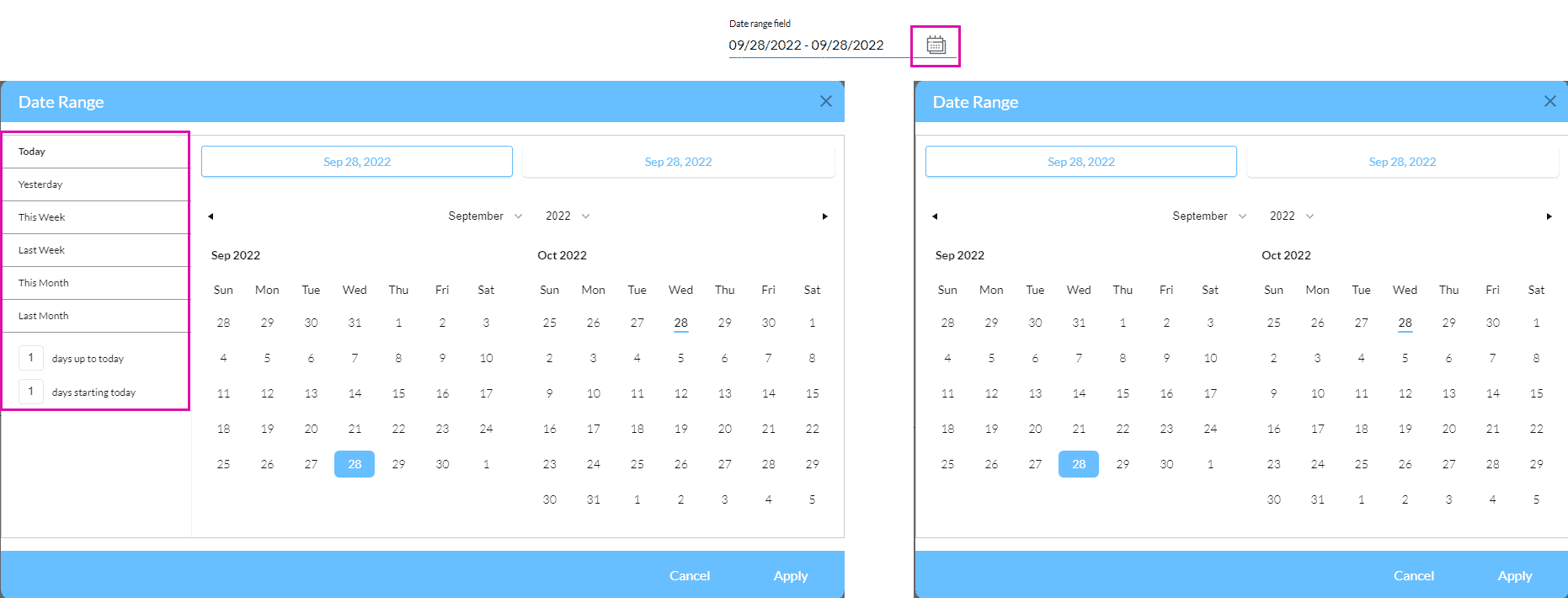
When the user clicks on the Date Range icon, the date range will be opened in a modal. The modal on the left has the defined ranges added.
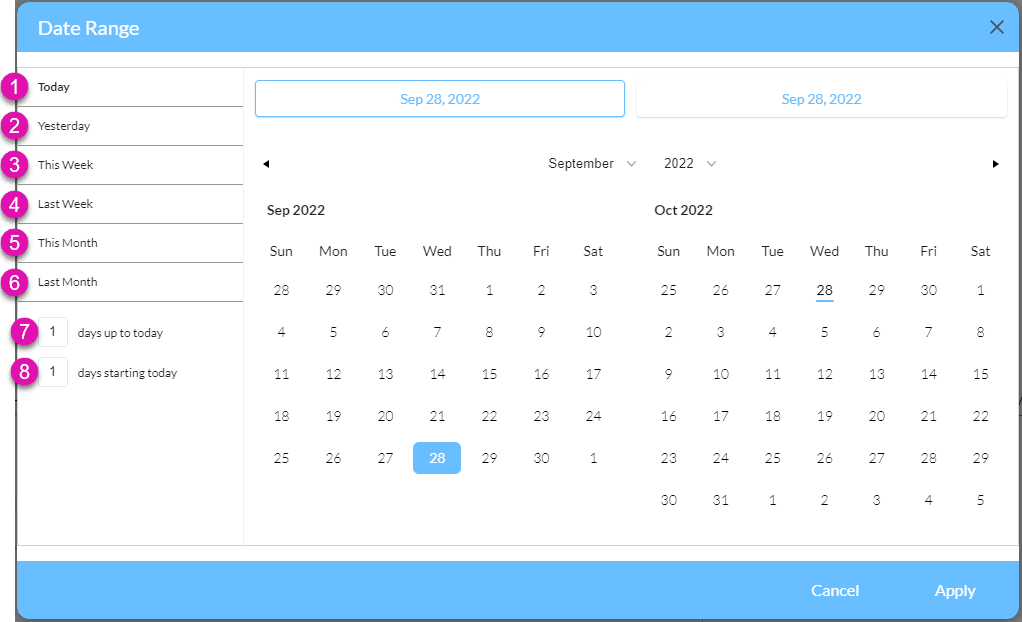
The table below gives descriptions for each option:
| Number | Label | Description |
|---|---|---|
| 1 | Today | Click this option to select today. |
| 2 | Yesterday | Click this option to select yesterday. |
| 3 | This Week | Click this option to select this week. |
| 4 | Last Week | Click this option to select last week. |
| 5 | This Month | Click this option to select this month. |
| 6 | Last Month | Click this option to select last month. |
| 7 | days up to today | Add a number in the field to select the number of days up to today. For instance, if 40 are typed in the field, 40 days into the past will be shown, ending today. |
| 8 | day starting today | Add a number in the field to select the number of days from today. For instance, if 40 are typed in the field, 40 days into the future will be shown, starting today. |









