How can we help you?
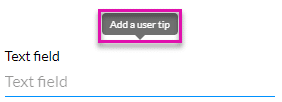
Add brief instructions or context to each input field using User Tips. The user tip is displayed when users hover over the element.
Note:
The User Tip functionality provides additional information and context to an element. User Tips are vital to users with limitations such as visual impairment, and screen readers can be used to read the tips to provide clarification.
User Tips are available for different types of elements. For instance, if you don’t have enough space in the field, you can give the user a tip to provide more information or clear instructions.


When the user hovers with the mouse on the element, the user tip shows more information.