How can we help you?
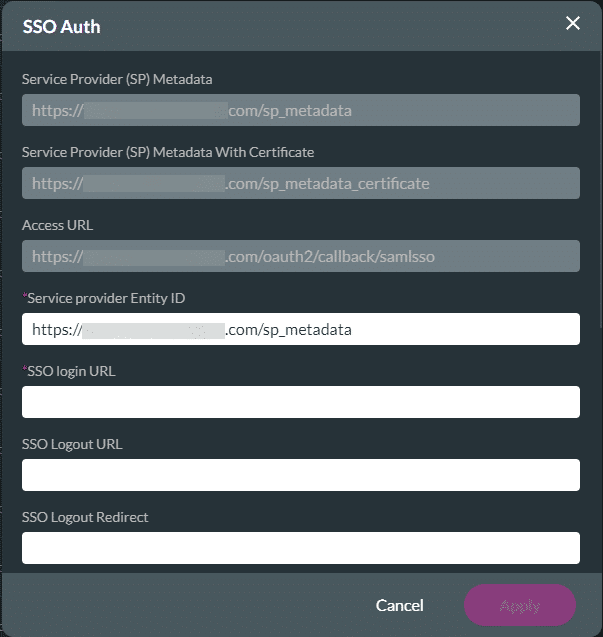
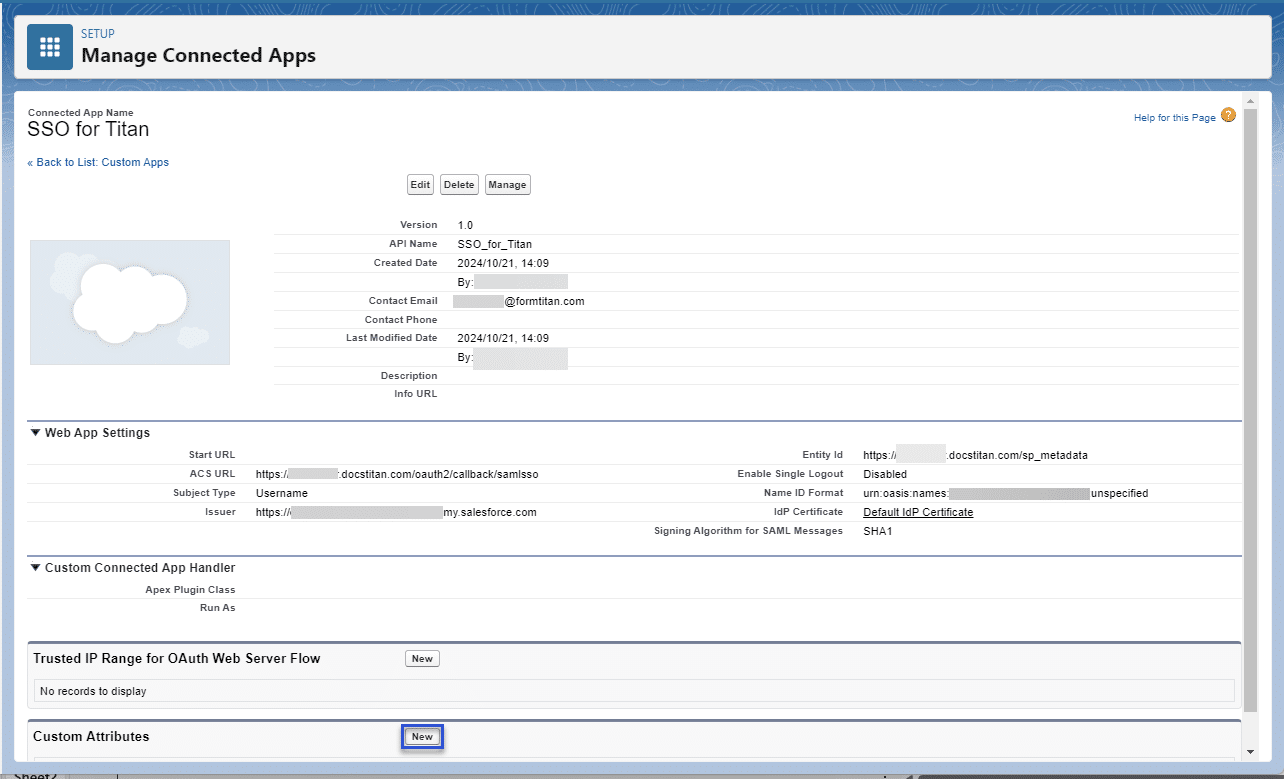
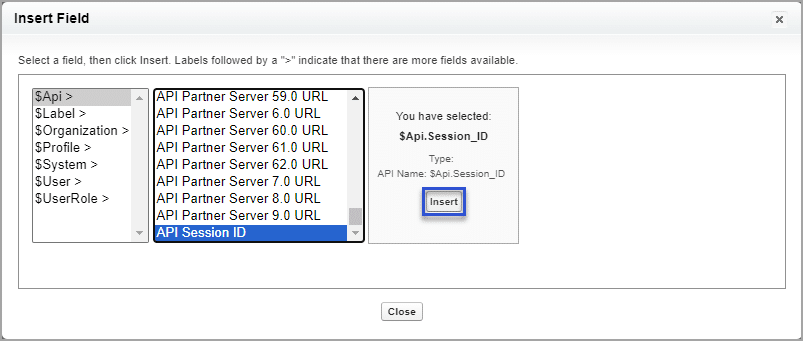
Configure SSO to invoke access to an external Titan Web project. Users in your Salesforce community can use the Titan Web project. You can bring custom variable attributes from Salesforce to your project.


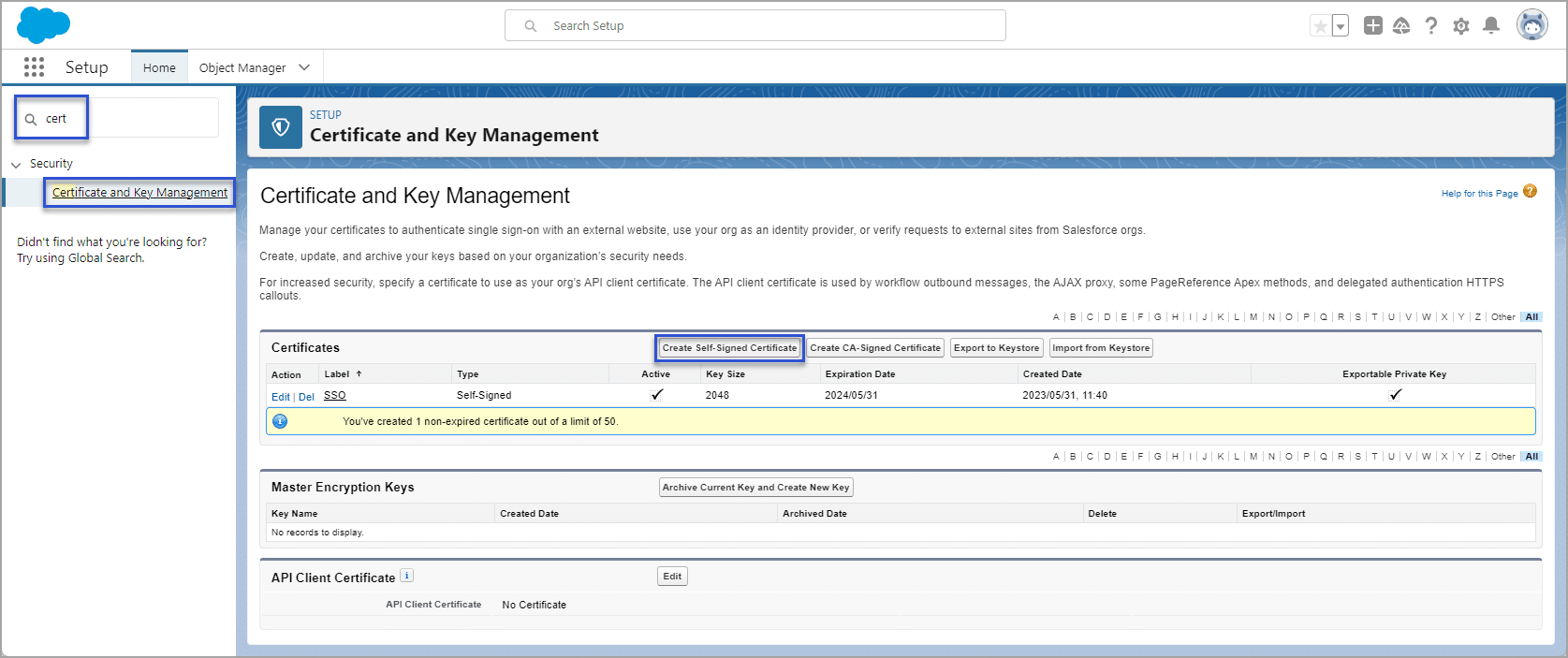
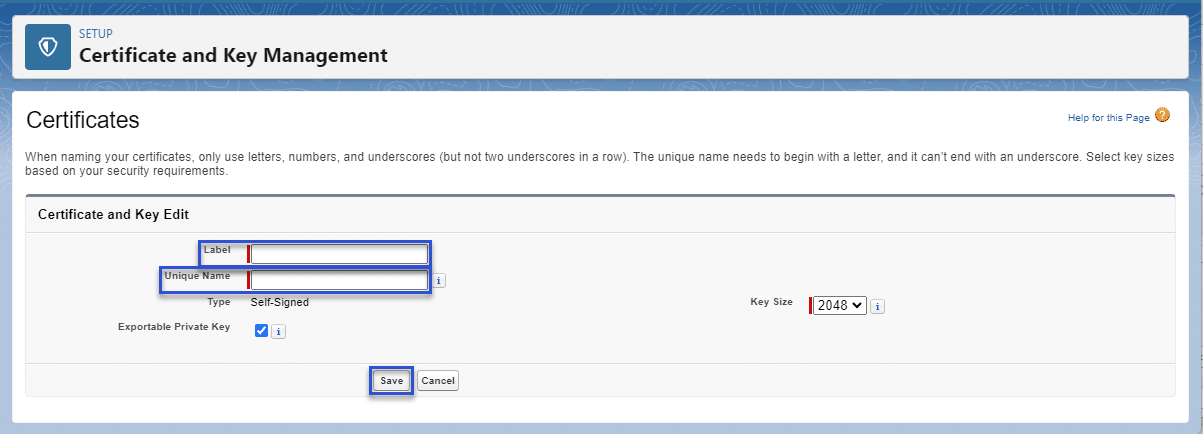
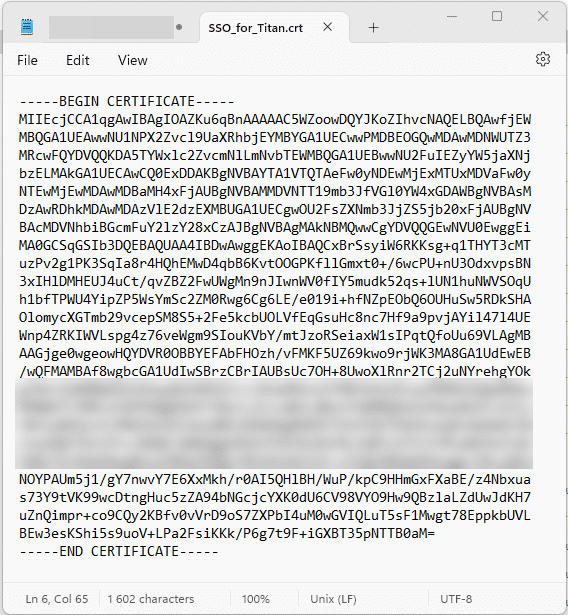
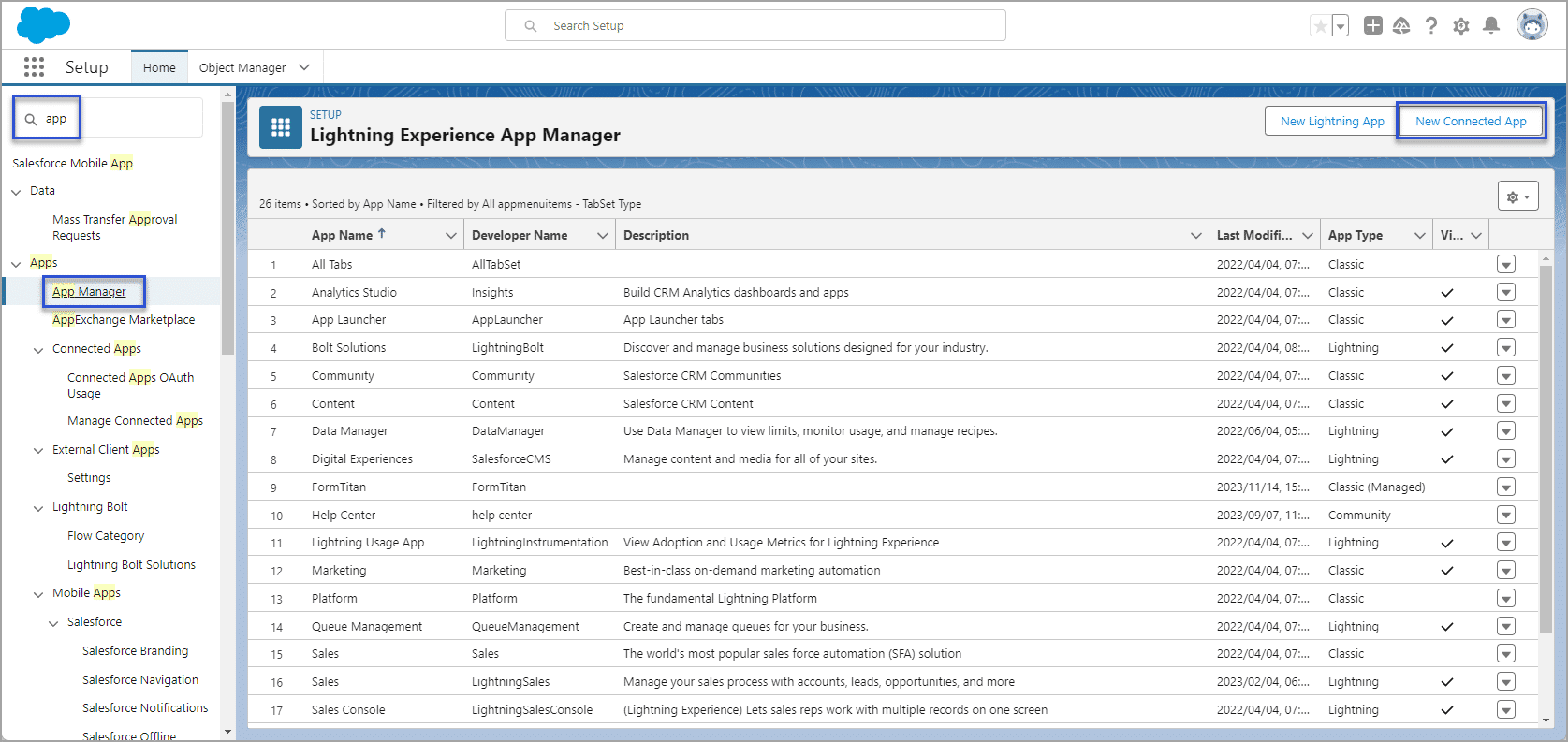
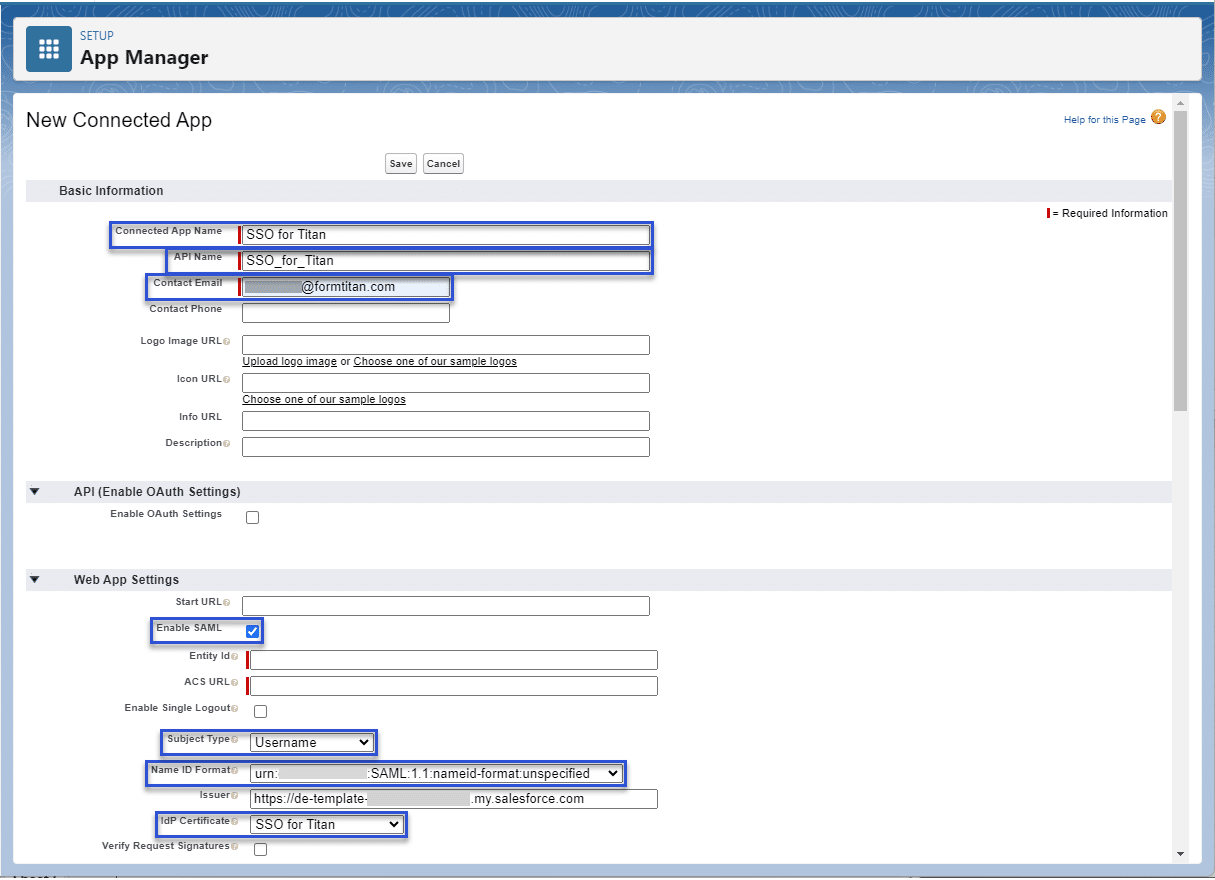
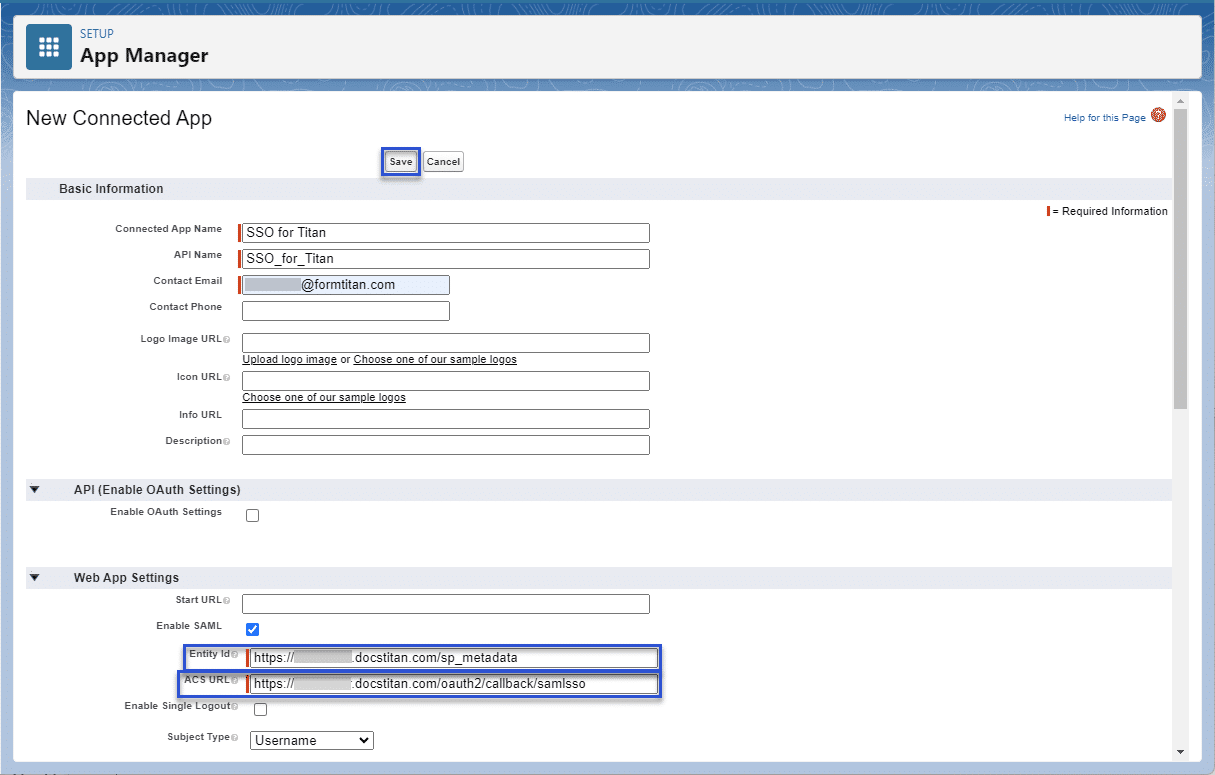
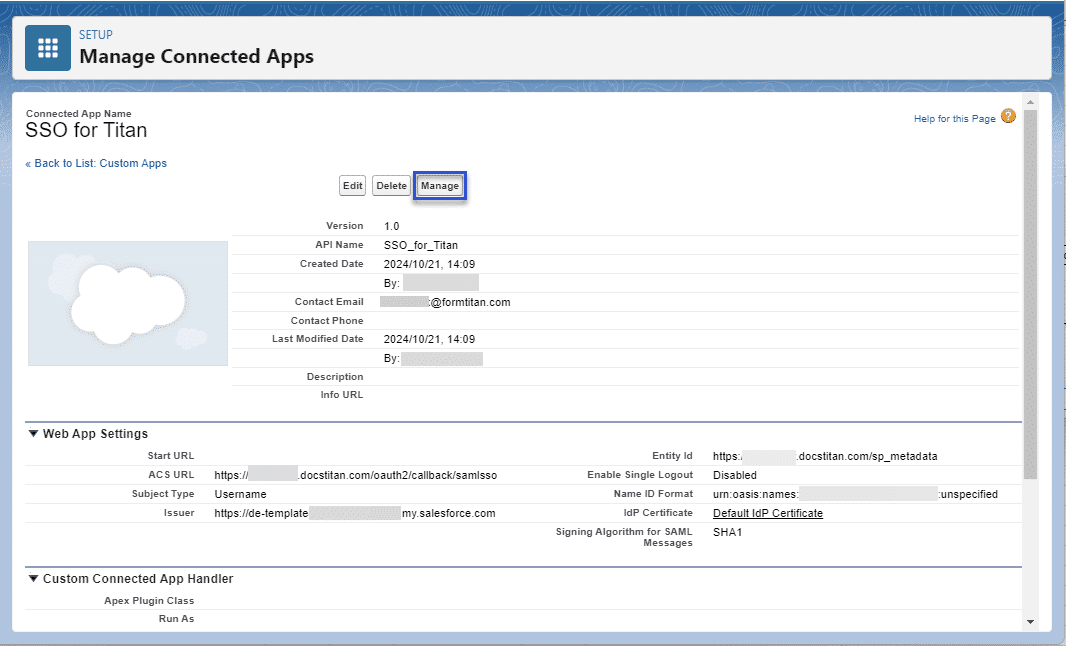
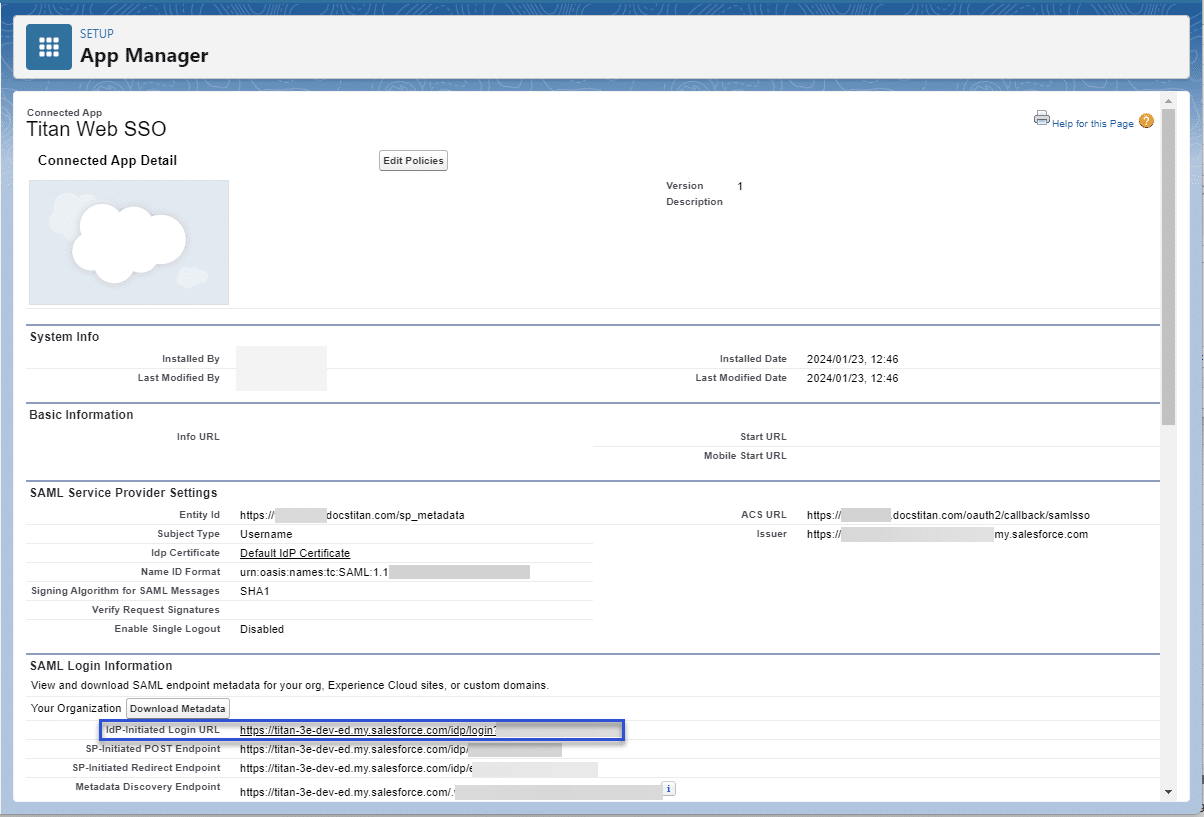
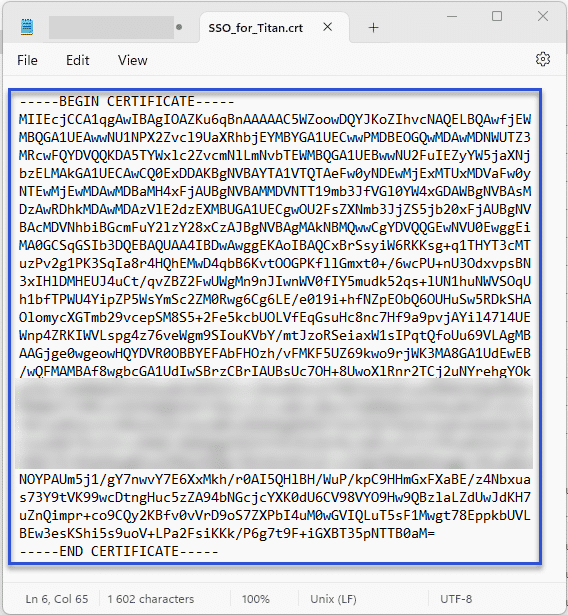
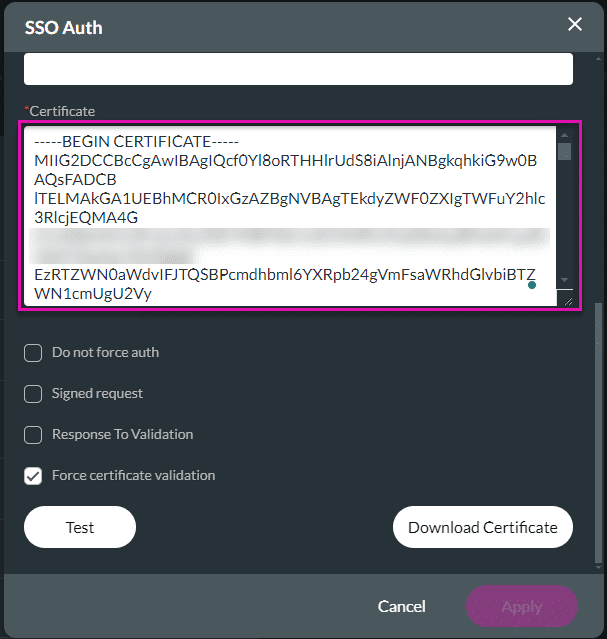
To complete the following screen, do the configuration in Salesforce.





Note:
When you authenticate a community, make sure to select a valid community and log in on the community screen.
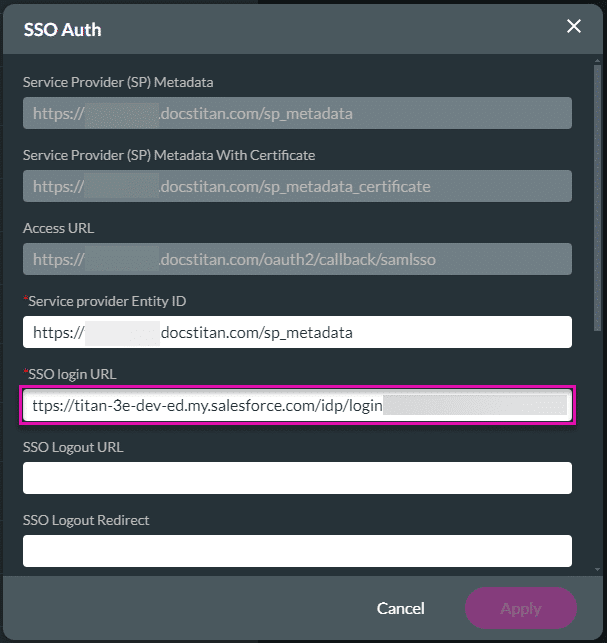


You will be asked to log in first to access your project. A verification code will be sent to your email address to verify your account. You can also set pages in your project to public (available to anyone) or SSO enabled (authenticate verification).
You can edit the SSO settings by clicking the Edit button.










