How can we help you?
The Back button allows a survey taker to navigate to previously viewed slides in Titan Survey.
Use Titan Survey to easily create web or email surveys for Salesforce. In this video, we will show you how to enable or disable the back button in the Titan Web Survey.
0:47 Hide Back Button: Learn more about how to enable or disable the back button in a survey. You can show or hide the back button in your slides.
1:09 Show Back Button: We show you how to set the Show Back button. This functionality allows the survey taker to scroll forward on the survey and click back to change their responses.
Note:
The Back button is added to the slides by default.


Note:
The Enable Back button checkbox is on by default.
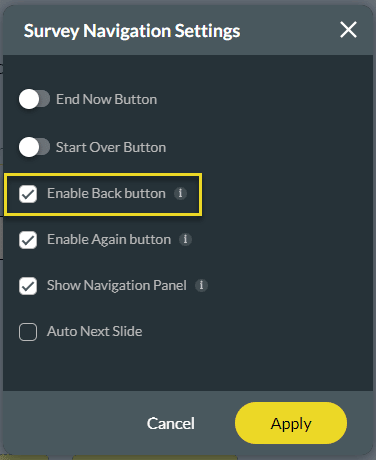
The Back button is no longer visible on the slides.









