How can we help you?
View all the questions and/or answers of a hybrid or web survey in Salesforce. The survey responses are grouped per survey taker. You can use the full response to analyze all the responses of a survey taker.
Exporting the full response to Excel lets you compare the questions and answers or only the answers of different survey takers.
Use the Full Response option to view all the questions and/or answers of a hybrid or web survey in Salesforce in one field per survey taker.


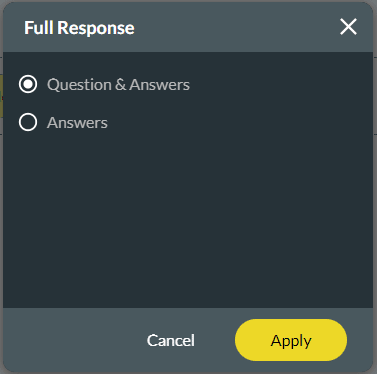
The questions and the answers of each survey taker will be displayed in Salesforce under the Survey Taker record in the same order as the questions and answers appeared in the survey. The questions & answers are displayed in the format: Q1:A1,Q2:A2,Q3:A3 etc.
In this example, the questions and answers are displayed under Full Response:

The answers of each survey taker will be displayed in Salesforce under the Survey Taker record. The answers are displayed in the format: A1,A2,A3 etc.
In this example, only the answers are displayed.

Due to the following structure, the responses can be exported to a CSV file and opened in Excel without any formatting problems:
This structure lets you compare the multiple survey takers’ responses in Excel. The questions and/or answers are listed next to each survey taker in a table form.
| Survey taker |
Question 1 | Question 2 | Question 3 | Question n |
|---|---|---|---|---|
| 1 | (Question and) Answer 1 | (Question and) Answer 2 | (Question and) Answer 3 | (Question and) Answer n |
| 2 | (Question and) Answer 1 | (Question and) Answer 2 | (Question and) Answer 3 | (Question and) Answer n |
| 3 | (Question and) Answer 1 | (Question and) Answer 2 | (Question and) Answer 3 | (Question and) Answer n |
| n | (Question and) Answer 1 | (Question and) Answer 2 | (Question and) Answer 3 | (Question and) Answer n |
Example in Excel for questions and answers:

Example in Excel for answers only:










