How can we help you?
The navigation panel makes it easy to organize your slide settings when creating hybrid or web surveys in Titan Survey.
Titan Survey allows you to show or hide the navigation panel for slide settings in hybrid/web surveys to suit your project needs.
You can deactivate the navigation arrows to declutter the UI or make it invisible to the survey taker.

Note:
The Show Navigation Panel is on by default.
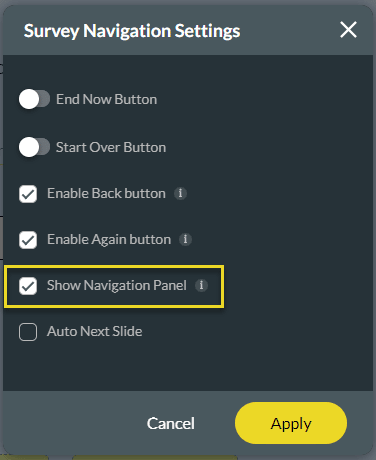
The Navigation panel is found at the bottom of the survey and shows the Navigation buttons at the bottom of each slide. If the Survey Navigation panel setting is not checked, there will be no navigation buttons at the bottom of the slide.










