How can we help you?
Keep track of each response in your survey when you push answers to Salesforce separately per slide.
Use Titan Survey to easily create web or email surveys for Salesforce. In this video we will show you how to push answers on each slide in Titan Survey.
After you have created a survey with all the necessary questions, you can push the survey answers separately per slide.

Note:
The Push answers every slide option is off by default.
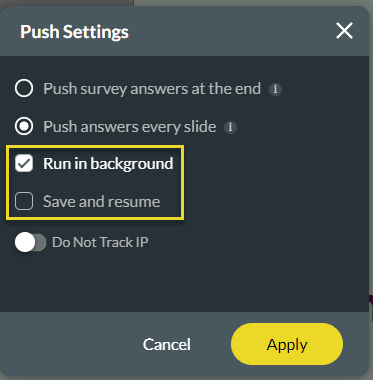
The survey answers will be pushed to Salesforce after each question.









