How can we help you?
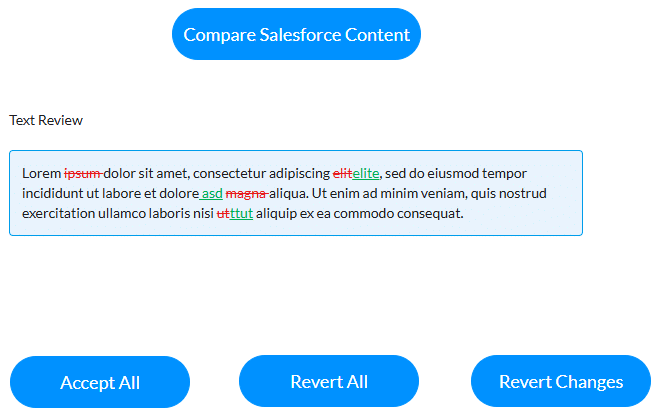
The text review widget simplifies version control and text revisions, saving time and reducing errors by clearly showing what’s changed between the two versions. Users can quickly view, accept, or revert edits, ensuring that only approved changes are incorporated before in-line editing begins. This streamlined approach keeps teams aligned on the most current content, enabling efficient decision-making and better collaboration. Ultimately, it enhances productivity, improves content accuracy, and supports agile workflows, making it a powerful tool for businesses, prioritizing precision and efficiency in document management.
Use the text review widget to review, accept, or revert edits to text. The text review interactivity is especially useful when the widget is added to a repeat strip or repeat autofit container. All the changes can be accepted, reverted, or reset for all the repeated text review components.
Note:
The text review widget is not available by default. Please contact Titan Support for more information.
Note:
Prerequisites:
Configure the text review widget with data from one of the following sources:

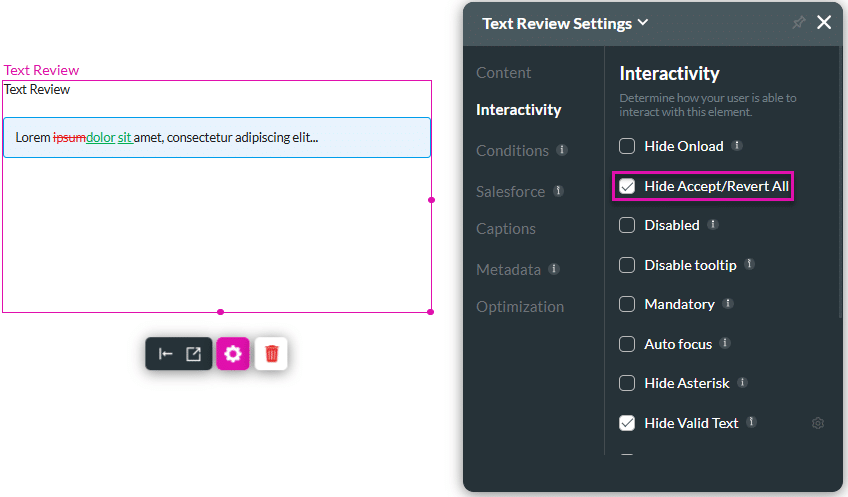
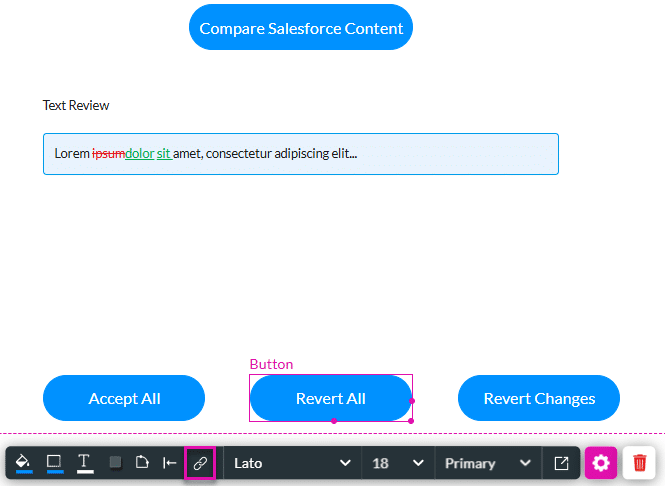

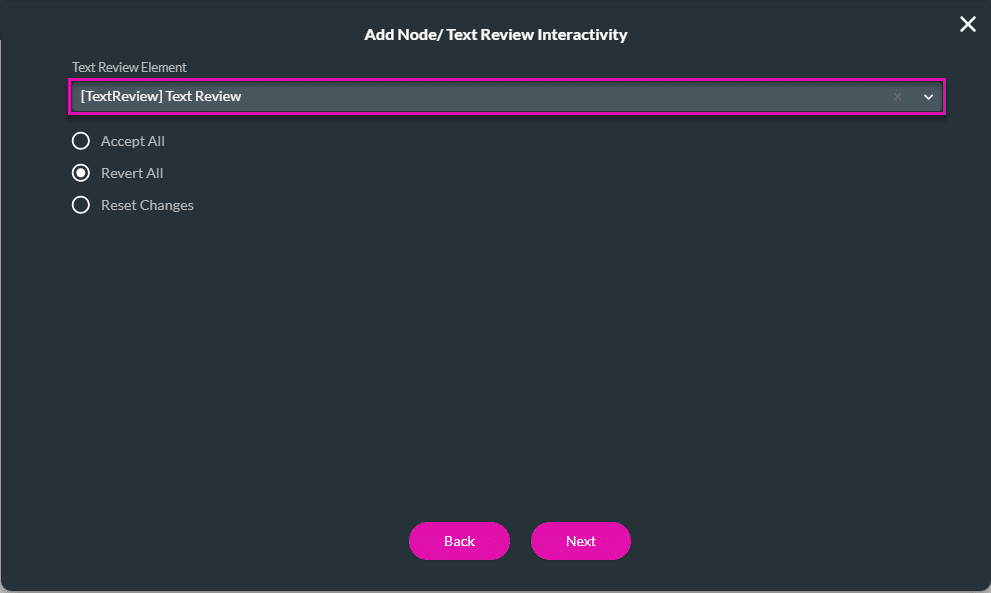

When the user clicks the Accept all button, all the changes in the text review widget are accepted. The Revert All button will revert the text in the widget to the original. When changes have been accepted or reverted, the Revert Changes button will revert the text in the widget to the compared version before any changes were accepted or rejected.
When the text review widget is added to a repeat strip or repeat autofit container, all the changes can be accepted, reverted or reset for all the repeated text review components.
You can add other actions to the button as well.