How can we help you?
Titan lets you create custom interfaces that can be embedded in Salesforce as Lightning Web Components (LWCs). These components can be added to Salesforce record pages, Experience Cloud sites, and the Salesforce Mobile App.
This allows users to interact with Salesforce data directly from a Titan-built interface. Depending on the project configuration, users can view related records, update fields, open Salesforce records, trigger actions, and submit changes back to Salesforce.
Salesforce record pages often contain related lists, buttons, and standard fields. While these are useful, some business processes require a more guided interface with custom logic, validations, and bulk update actions.
For example, users may need to review and update multiple related contacts, opportunities, or cases from a single screen without opening each Salesforce record individually.
Titan Lightning Web Components help support these use cases by embedding a custom Titan experience directly inside Salesforce.
With Titan, you can build a custom interface and publish it as a Salesforce Lightning Web Component. The component can display Salesforce data, apply business logic, validate user input, and push updates back to Salesforce.
A Titan LWC can be used to:
Before configuring a Titan Lightning Web Component, make sure that:
In this example, a Titan interface is embedded on an Account record page in Salesforce.
The Account page includes a custom tab called Customer 360. This tab contains a Titan Lightning Web Component that displays related Account data, such as:
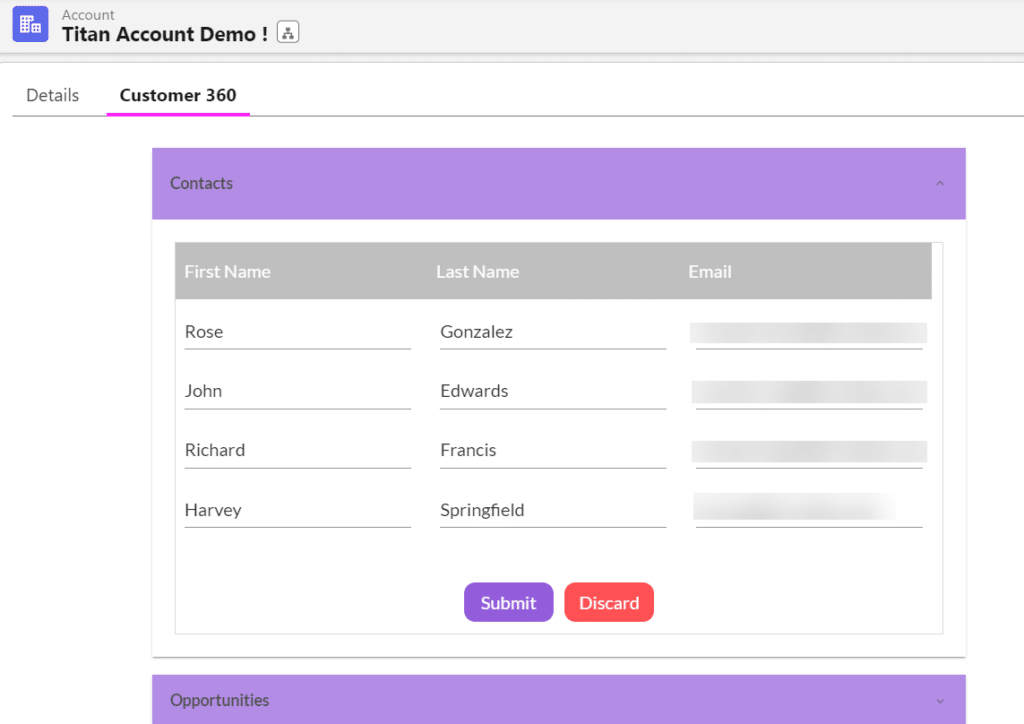
Users can view and update related information without leaving the Account record page.
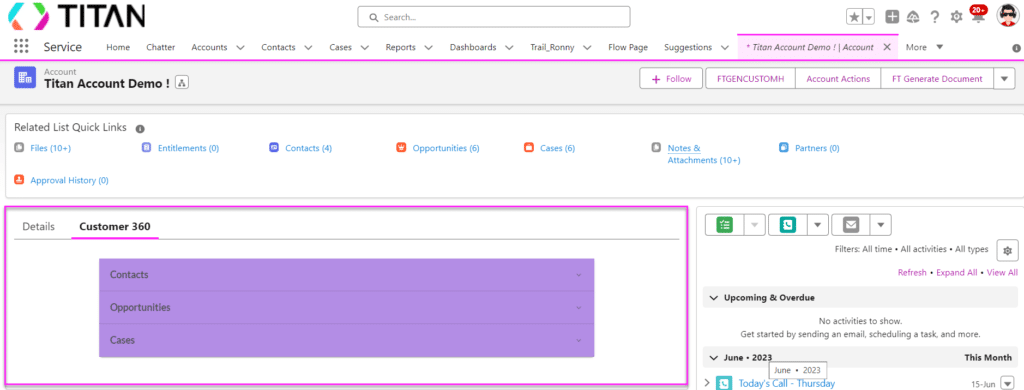
The Titan component can display contacts related to the current Account record.
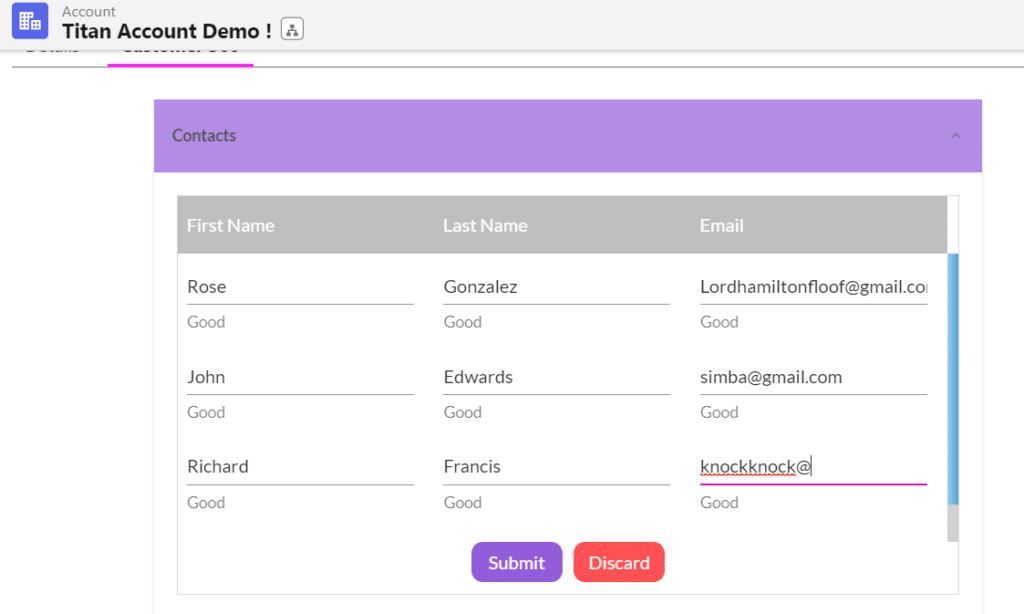
This can show the same contact data that appears in the standard Salesforce related list, but with additional interaction options configured in Titan.
For example, users can update contact email addresses directly in the Titan component. When changes are made, Titan can apply validations before the user submits the updates.

After submission, Titan pushes the updated contact data back to Salesforce.
This allows users to update multiple related records from a single interface, rather than opening each contact record individually.
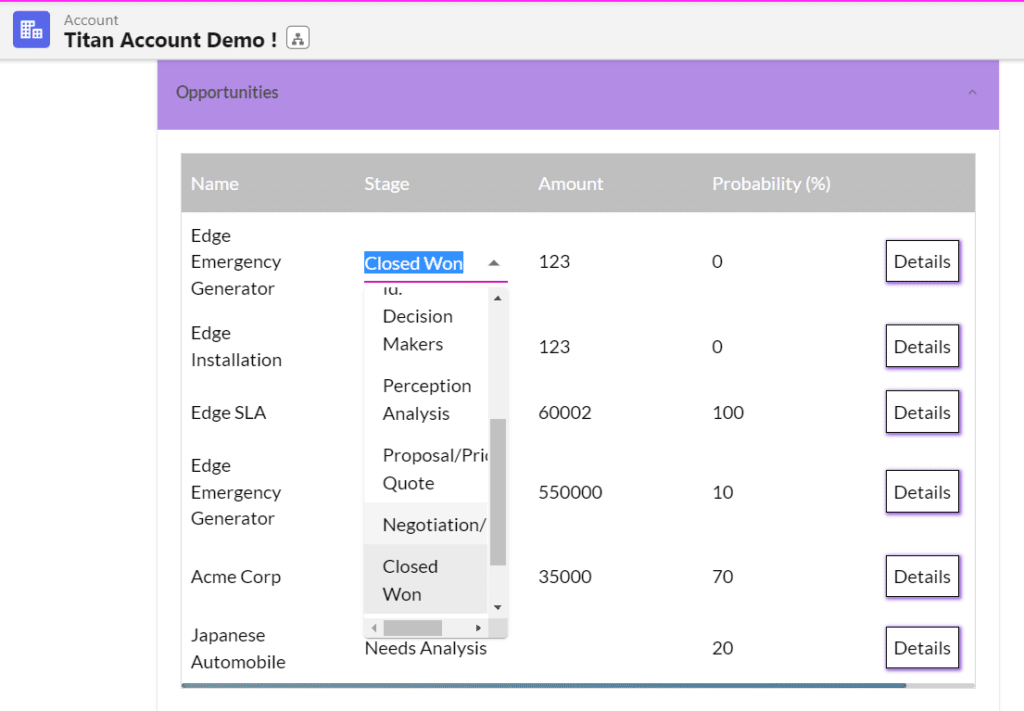
The Titan component can also display opportunities related to the Account record.
Users can view opportunity details such as:
Depending on the configuration, users can update fields such as the opportunity stage directly from the component.
A button can also be added to let users open the Salesforce record or view more opportunity information in a modal.
The Titan component can display cases related to the Account record.
Users can update case information such as:
For example, marking a case as escalated can trigger relevant Salesforce processes or notifications.
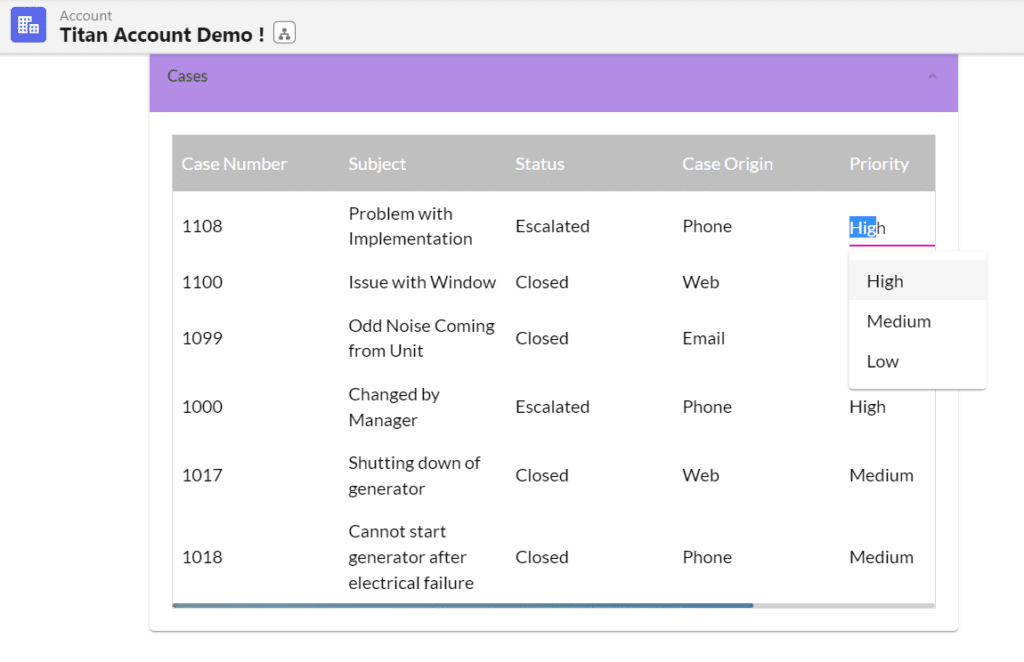
After configuration, users can interact with Salesforce data through a custom Titan interface embedded directly in Salesforce. This helps simplify record management, reduce manual updates, and support guided business processes from a single Salesforce page.









