How can we help you?
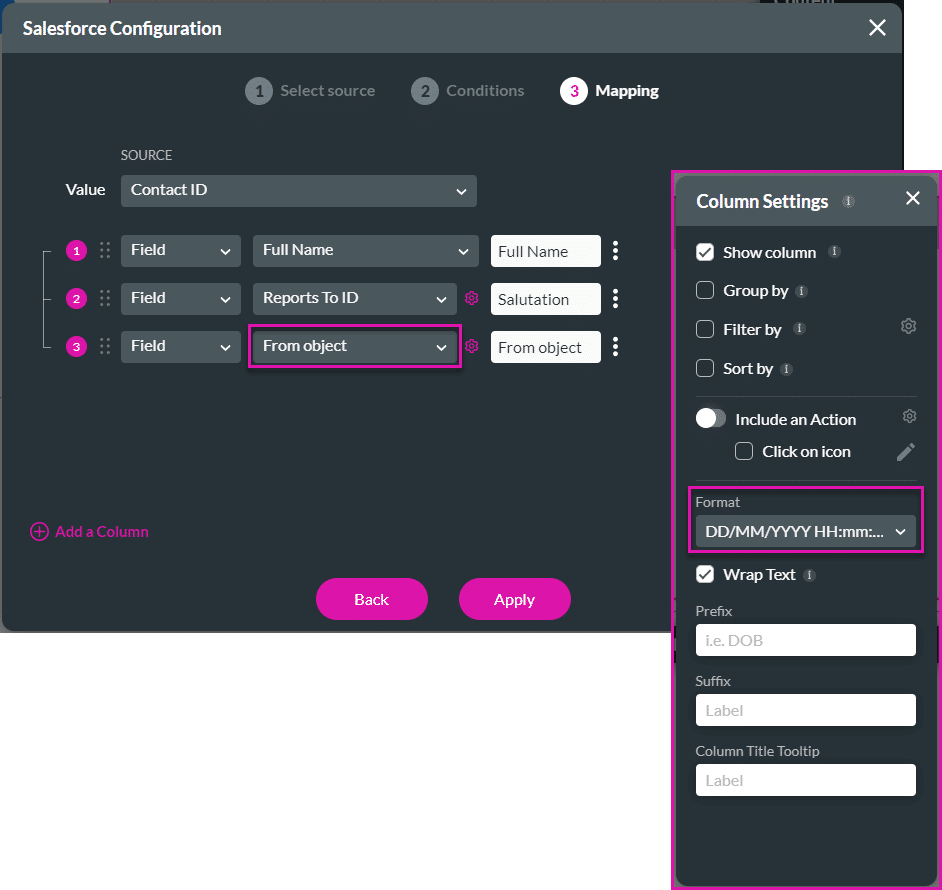
The column formatting will now automatically be set to date or date/time format if a date or date/time field is selected for the From object field when configuring a power table.
We have improved the Add element functionality on the rich text editor (on the Show Message and Show Toast nodes) as follows:

You can now set values to variables in Titan Flow to create more streamlined flows that are aligned with your business process requirements. Read more
We made improvements to the Flow:

You can now add text to the checkbox caption when it is shown for a single value.

We added guide lines so that you can now easily position input fields and other elements when creating and modifying Titan Sign projects. The lines will indicate the position of an element on the builder. This is especially helpful when you need to place elements aligned to other elements or text.

We changed the behavior of the JS functions ftGetValueByID and ftSetValueByID on number fields to match existing project limitations. Anything you do with affected elements should now be possible with the JS functions.
We added the option to style the accordion container’s root shadow.
The date/time formatting for charts didn’t work as expected. Our team fixed this.
We fixed an issue where the phone number input element could incorrectly be edited in read-only mode.
The Accessibility mode affected drop-down elements negatively. Our team fixed this.
We resolved an issue that affected the overlay functionality on a strip when using the mobile device layout.
The conditions on a Get to a hidden strip didn’t run as expected. We fixed that.
We resolved a bug where the condition based on the index on strips, columns, and autofit containers stopped working in certain circumstances.
The Library Flow node wasn’t available for the following SmartV events: After Logout, Session Expire, and Wrong OTP. It has been added.
The team fixed some issues that affected the text comparison widget; for instance, the Content settings didn’t work as expected.
We fixed an issue where elements disappeared when a page was translated using Google Translate in Chrome.
The size of the file uploader element didn’t display correctly. This was fixed.
The system element couldn’t be edited, and the formatting didn’t display correctly. We fixed this bug.









