How can we help you?
Titan supplies very agile software and deploys new versions regularly. You can test our latest software version and revert to a previous version if you find something that now works differently than what you configured and published. Read More
We redesigned the user interfaces for the Document Generation functionality. Read More
You can hide rows in a table with table interactivity. Read More
We added the option to export only the document generation template (created with the Titan Word add-in) from a Forms 1.0 project. This will replace the template in the Forms 1.0 project to which you are exporting.
Exporting the entire project creates a different hash key, and you will have to update the automation in Salesforce if you invoke this form. When you export only the document generation template, you don’t have to make any changes in Salesforce.
We added the document generation functionality to Forms 2.0. Read More
We added more options for integers and decimal numbers when configuring cell formatting. Read More
We fixed a bug that occurred on Credit Guard installment payments.
It was not possible to select subfolders when adding folders in a project under the Project Settings > Overview. This was fixed.
We made cosmetic UI changes to emails that are sent in the following circumstances:
We are in the process of enhancing the styling options. We made changes to the styling for tab containers, and multi-select picklist, file upload and chart elements.
We made cosmetic UI changes to the Document Generation configuration screens.
You can now add current device layouts to conditions, which will work correctly.
We fixed a bug on a project with a stepper element together with other input elements where the stepper element didn’t behave as expected.
We fixed a bug on the multi-step container where the height couldn’t be changed.
We added an asterisk to all mandatory fields when configuring payments.
When loading a web page, the device layout will be triggered correctly.
When uploading a Word template to a Web project (using the Titan Word add-in), the Document Generation screen no longer shows the Push to SF option or any other option by default. Use the + icon to add options.

We improved the styling options for the file uploader element.
We fixed the scroll bar on power tables that wasn’t visible on the builder even though it showed in the preview.
There was a bug on the stepper element that didn’t show the elements in the stepper for different device layouts as expected. Our team fixed it.
We fixed a bug that occurred when changing the orientation of an element.
You can now compare unformatted dates in a Web project.
Formatting the Y-axis on charts now works correctly.
The bug on the lookup element was fixed to ensure that the styling for a mobile device works correctly.
We added more structured parameters for PayPlus integration that can be passed to the API.
A bug on the phone element affected the default country selection. We fixed that.
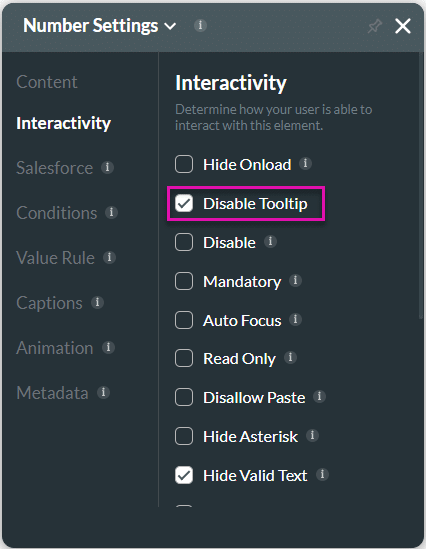
We added the option to remove the tooltip for input elements.
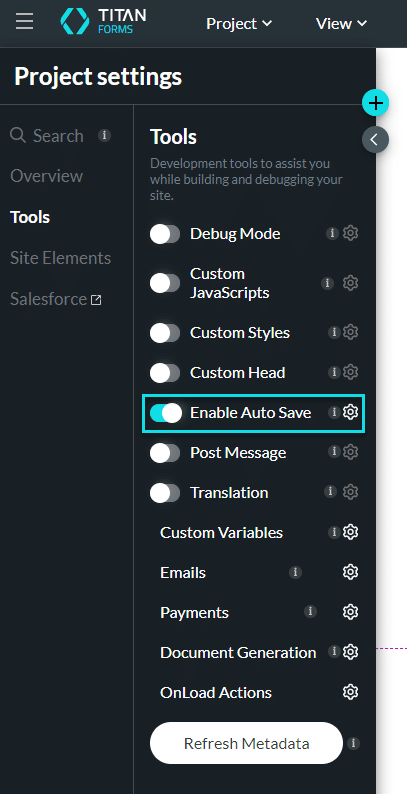
We added the option to auto-save a project in Titan Forms 2.0.
Adding an element to a custom flow will no longer reset the existing positions.
The properties for ranking elements now show the correct dynamic values in the Survey Response record.
We made a cosmetic UI change on the matrix element’s display.
Due to a bug, an image from Salesforce couldn’t be imported to a Word template. Our team fixed this.
We made cosmetic UI improvements to the co-browsing screens.
Some fields on the Dashboard > My submissions screen overlapped on smaller devices. This was fixed.
Subfolders didn’t delete as expected. This was fixed. Please note that the projects in a folder will also be deleted when a folder or subfolder is deleted.
When adding an editor, the email is recognized, and a new registration is no longer created.
You can rename a folder.
We fixed a bug that occurred when attempting to export multiple projects.
On this page









