How can we help you?
We resolved an issue where pages with repeated images and IFrames seemed to display the images in an unstable manner, causing the screen to behave erratically. This fix ensures smoother and more consistent display behavior for such pages.
We identified and fixed a problem that affected the resizing of pie charts.
When a Salesforce field was mapped to a field in a Titan Web project and then deleted in Salesforce, the Refresh Metadata option on the Salesforce Integration screen didn’t update the mappings or remove any references to the deleted field. This was fixed.
We improved the button group element’s styling when combined with affected element actions to ensure that the correct colors are used for default hover, clicked, and selected buttons when setting a background color.
The project styling for drop-down elements didn’t work correctly. Our team fixed this.
We made improvements to ensure that the modal message opens on the cursor position on LWC and embedded projects.
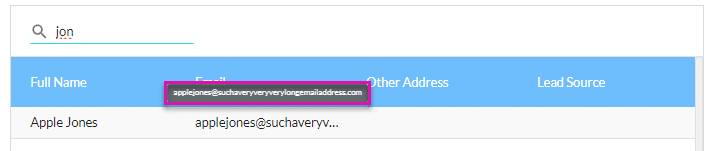
We resolved an issue where the text in a column overlapped the text in the next column. If the option “Wrap Text” is not enabled on the column, the tooltip will show the entire field.